
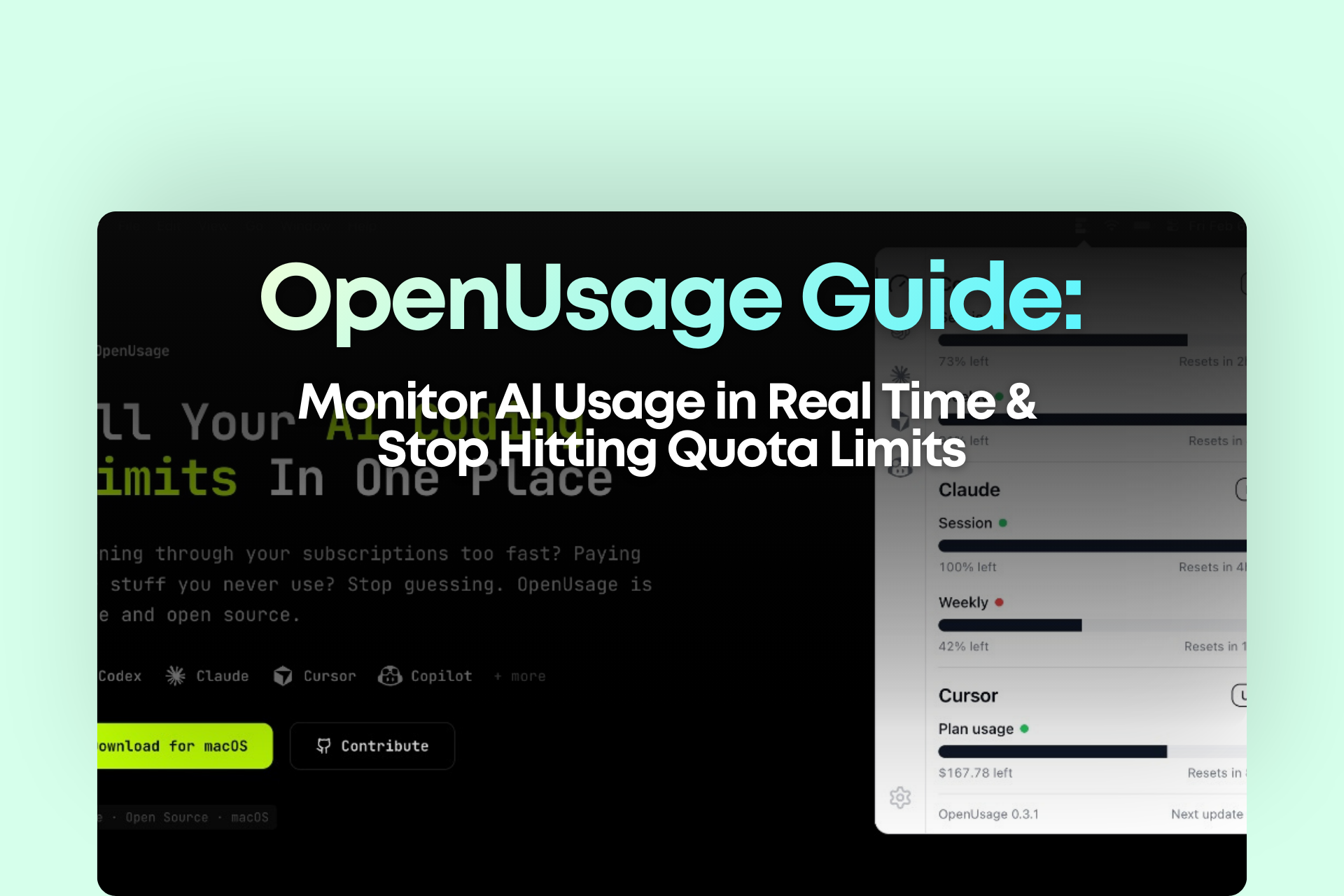
What Is OpenUsage?
OpenUsage is a lightweight macOS menu bar app that centralizes usage tracking across multiple AI tools.
It doesn’t try to replace your tools.
It doesn’t add complexity.
It simply makes your AI usage visible at all times.
That visibility is powerful.
When quotas become visible, your decision-making becomes strategic.
Instead of reacting when you hit limits, you start allocating usage intentionally.
What OpenUsage Can Do
1. Real-Time Menu Bar Monitoring
The core feature is simple:
AI usage appears directly in your Mac’s top menu bar.
No extra tabs.
No dashboard switching.
No surprises.
You instantly see:
- Current usage levels
- Remaining quota
- Status indicators
- Reset timing (when available)
This transforms how you plan heavy AI tasks.
[IMAGE – Menu bar usage dashboard]
2. Auto Refresh & Manual Update
You can configure refresh intervals so your data stays accurate.
Before a big content sprint or deployment push, you can manually refresh to confirm you have enough quota to finish.
Small feature. Massive stress reduction.
3. Global Shortcut Access
Need a deeper look?
Use a customizable keyboard shortcut to instantly open the detailed panel.
You stay in your workflow—no context switching required.
4. Plugin-Based Architecture (Future-Proof)
AI tools evolve quickly.
OpenUsage uses a plugin-based system, making it easier to support additional providers over time.
That means you’re not locking yourself into one ecosystem. You’re building a flexible monitoring layer above your tools.
GitHub repository:
https://github.com/robinebers/openusage
Why This Matters for AI-Driven Businesses
If you rely on AI for:
- Content production
- Marketing copy
- Coding
- Campaign ideation
- Automation workflows
Then quota = operational capacity.
And operational capacity must be managed.
Most people think AI scaling is about better prompts.
In reality, scaling AI workflows is about:
- Usage allocation
- Cost visibility
- Workflow stability
- Predictable output
Without visibility, you get:
Use aggressively → Hit limit → Stop → Upgrade → Repeat.
With visibility, you get:
Monitor → Allocate → Execute → Optimize → Scale.
That difference is what separates hobby-level AI usage from operational AI systems.
Three Common “Quota Crash” Scenarios (And How OpenUsage Helps)
Scenario 1: The Deadline Sprint
You’re racing to finish:
- A long-form article
- A landing page
- A feature build
- A campaign launch
Halfway through—you hit your usage cap.
With OpenUsage:
You see usage rising in real time.
You reserve 20% quota for final polish.
You split heavy tasks across tools if needed.
No more surprises.
Scenario 2: Multi-Tool Chaos
You use multiple AI platforms, but:
- You don’t know which one is near limit
- You switch randomly
- You hit constraints unpredictably
With OpenUsage:
You immediately identify which tool has available capacity.
You assign heavy tasks strategically.
You prevent unnecessary upgrades.
Scenario 3: Cost Overruns & ROI Confusion
At the end of the month, you wonder:
- Why did AI expenses spike?
- Did this actually increase output?
- Are we overspending?
When usage becomes visible daily, you naturally begin asking:
- How much output did this usage generate?
- Which tool delivers the highest return?
- Are we allocating usage efficiently?
You can’t optimize what you can’t see.
30-Minute Setup + 30-Second Daily Habit
Here’s how to integrate OpenUsage into your workflow quickly.
Step 1: Install from GitHub
https://github.com/robinebers/openusage
Step 2: Add only your 1–2 most critical AI tools
Don’t overconfigure initially.
Step 3: Set refresh frequency & shortcut key
Step 4: Adopt the 30-Second Daily Quota Routine
Every morning:
- Check menu bar usage levels
- Identify which tool has the most available quota
- Reserve 20% for high-value outputs (final edits, critical generation)
That’s it.
This simple habit eliminates most quota-related interruptions.
[IMAGE – Quota checklist visual]
How This Fits Into a Scalable AI Workflow
OpenUsage isn’t just a utility app.
It’s an operational layer.
If you’re building AI-driven marketing systems or automation pipelines, usage monitoring should sit alongside:
- Prompt systems
- Automation flows
- SOP documentation
- Cost tracking
- Performance analytics
AI scale isn’t about speed alone.
It’s about sustainability.
When you combine workflow automation with quota visibility, you build predictable output systems instead of chaotic bursts.
Frequently Asked Questions
Is OpenUsage only for developers?
No. Anyone using multiple AI tools regularly benefits from usage visibility—especially content creators and marketers.
What if I only use one AI platform?
You still gain from real-time visibility, particularly if you frequently approach usage limits.
Does it affect system performance?
It’s a lightweight menu bar utility. You can control refresh frequency to minimize resource use.
Is this necessary if I have unlimited plans?
Even with high limits, usage visibility improves allocation and strategic planning.
Final Thoughts
Most AI productivity issues aren’t caused by weak prompts.
They’re caused by invisible constraints.
When quotas are hidden, your workflow becomes reactive.
When quotas are visible, your workflow becomes strategic.
OpenUsage gives you that visibility.
It’s a simple tool—but operationally powerful.
If you’re serious about scaling AI-driven workflows without constant interruptions, quota management isn’t optional. It’s foundational.
















