你想快,但又唔想「又抄又改」到爆?
每逢農曆新年,IG/WhatsApp/Email都要派祝福。你可能試過用AI寫,但結果要唔就太文言、太長、唔似口語;要唔就每次都要手動改「呀/啦/喇」,最後仲慢過自己講。
如果你係中小企主、content creator、或solo marketer——你最需要嘅唔係「一大堆花巧祝賀詞」,而係一個開App → 撳一下 → 即刻出一句可直接講出口嘅廣東話祝福:短、爽、口語、真係用得。
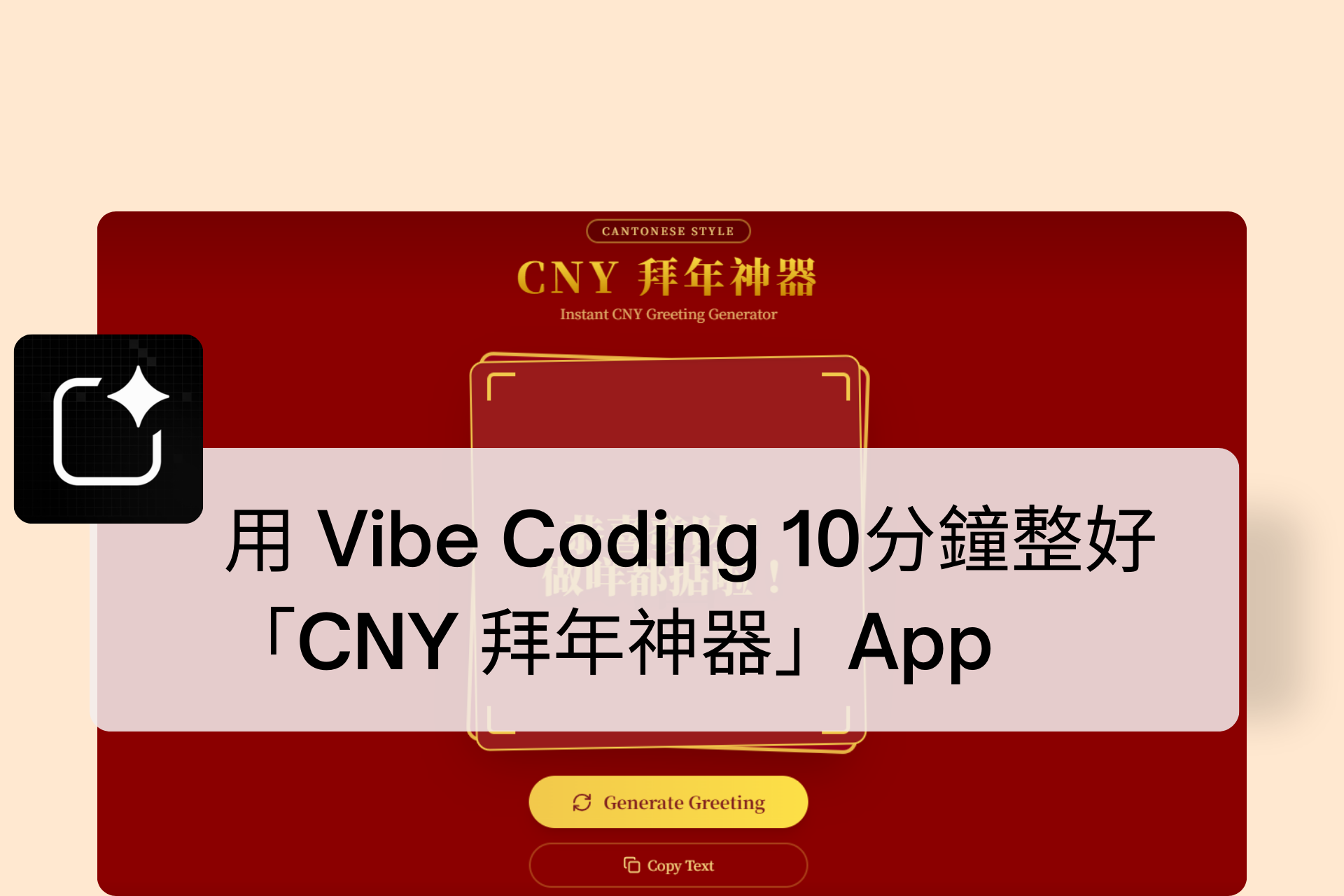
呢篇會帶你用「Vibe Coding」方式:用一段清晰Prompt,叫AI幫你砌出一個完全前端、零後端、手機優先嘅小工具——CNY Verbal Greeting Random Generator。你會學到:
- 點樣設計「短句+口語」嘅輸出規則(避免AI亂飛)
- 點樣用 phrase pools 做「可控隨機」
- 點樣整手機友善UI:大字置中+一鍵Copy+Copied提示
- 直接拎走可跑嘅 HTML/CSS/JS(開Browser就用得)
準備好?我哋由最重要嘅——Prompt開始。
你要嘅成品係咩?先鎖死規格,AI先會乖
1) 一句口語祝福:5–15字,1句ONLY
你要明確寫死輸出規格(例如:只限一句、字數範圍、口語、Traditional Chinese),AI先唔會自動加第二句「祝你同家人…」。
2) Phrase Pools:可控隨機,唔怕出怪句
「Opening + Wish + Ending Particle」係最穩陣嘅公式:
- 開頭(新年快樂/恭喜發財…)
- 祝願(身體健康/做咩都掂…)
- 語氣詞(呀/啦/喇/!)
每次隨機揀一個,組合自然、又多變。
Vibe Coding Prompt:直接拎去用(你要求嘅完整版)
你可以將以下Prompt貼落 ChatGPT / Claude / Cursor / Lovable / Bolt /任何你慣用嘅編碼AI,一次過生成可跑嘅前端檔案。
You are an expert front-end developer. Build a mobile-first, festive-but-simple single-page web app: “CNY Greeting Generator”.

Goal:
Open the app → tap → instantly get ONE short Cantonese CNY verbal greeting (Traditional Chinese, spoken style). Fast, clean UI, no backend.

Core Features:
- Title: “CNY Greeting Generator”
- Primary button: “Generate Greeting”
- On tap, randomly generate a greeting using phrase pools + logic below
- Show output text LARGE and CENTERED
- Copy button under result (copies the greeting to clipboard, shows a small “Copied!” feedback)
- Fully runnable in browser (single HTML file ok)

Output Rules (MUST follow):
- Language: Cantonese spoken style, Traditional Chinese
- Exactly 1 sentence only
- About 5–15 words (keep short)
- Festive, friendly, human
- Avoid long classical/poetic phrases
- Suitable for saying face-to-face
- Only spoken greetings (no explanations)

Phrase Pools (use exactly these items):
Opening:
- 新年快樂
- 恭喜發財
- 新一年
- 祝你今年
- 天天好運

Wish:
- 身體健康
- 順順利利
- 發大財
- 開開心心
- 做咩都掂
- 心想事成
- 工作順利
- 生意興隆

Ending Particles:
- 呀
- 啦
- 喇
- 呀!
- 啦!

Generation Logic:
Greeting = Opening + Wish + Ending Particle
Randomly pick ONE from each pool per generation.

Formatting Rules:
- Output should be wrapped in 「」 and include punctuation naturally.
- If Opening is “祝你今年” or “新一年”, it should flow naturally without weird spacing.
- Ensure the final output looks like one spoken sentence (no line breaks, no extra sentences).

Design / UI:
- Mobile-first layout, centered content
- Festive but simple (use subtle red/gold accents, not cluttered)
- Large greeting text
- Button looks tappable (rounded, shadow)
- Smooth micro-interactions (hover/active states)
- Accessible: good contrast, large tap targets

Deliverables:
- Provide HTML + CSS + JavaScript (vanilla)
- No external frameworks required
- Works by just opening the HTML file in a browser
- Include brief comments in code for clarity
Return ONLY the complete code in one code block.
點解呢種 Prompt 寫法咁有效?
1) 先定「輸出規則」,再講「功能」
AI最容易出事係:你講功能講到好興奮,但冇鎖死輸出規格。
你而家係「先規則、後功能」:
- 1句 only
- 5–15字
- 口語
- Traditional Chinese
- 禁止解釋
咁就唔會走樣。
2) 用公式做生成:可控、可測、可擴充
「Opening + Wish + Particle」好似你做廣告文案用框架(PAS/AIDA)咁:
穩定、重複可用、容易A/B test。
實戰:你可以點樣加多「品牌味」但唔失口語?
你如果係品牌方/商戶,想有少少你嘅tone,可以用不改規則,只加可選池:
- 加一個「品牌短tag」池(例如:
多謝支持/今年繼續多多關照) - 但仍然保持「一段句」+「短」
- 仍然維持 face-to-face 口語
重點:唔好一開始就加太多變數,先跑到穩,再擴展。
How to Apply This:5步就由 0 到可用
Step 1:直接貼 Prompt 叫AI出「單一HTML檔」
你要嘅係「一開即用」,所以要求 single HTML file 最爽。
Step 2:打開Browser測 20 次
用肉眼檢查:
- 有冇超過 1 句?
- 有冇太長?
- 有冇唔口語?
如果有,回Prompt加一句更硬嘅規則(例如:No commas, no extra clauses)。
Step 3:加 Copy 成功提示
Copied feedback 係「完成感」,用戶會覺得爽同可靠。
Step 4:手機測試(最重要)
用手機Safari/Chrome開,睇:
- 字夠唔夠大
- 按鈕夠唔夠易撳
- 置中有冇跑位
Step 5:擴充 phrase pools(但要守規則)
每次只加 1–2 個詞,保持短、口語、可講出口。
結論:呢個小App係你「AI落地」嘅最好練習
你今日做嘅唔止係一個新年祝福生成器,而係掌握咗一個可複製嘅套路:
- 先鎖規格(1句、短、口語、可講)
- 再用 phrase pools 做可控隨機
- 最後用手機優先UI,交付「即刻用得」嘅工具
同一套方法,你可以延伸去:
- 「產品賣點一句版」生成器
- 「客服回覆短句」生成器
- 「Reels Caption 口語版」生成器
當AI變成你嘅流程零件,你就可以用同一個人手,做到以前一個team先做到嘅速度。