

You’re Not Using AI Images to Their Full Potential
Most creators and marketers today are already using AI to generate images. But here’s the reality:
You’re probably only using a fraction of what it can actually do.
Common problems look like this:
- You generate images fast, but don’t know how to use them strategically
- You create visuals, but don’t test performance
- Every prompt starts from scratch (no scalability)
- Visuals lack brand consistency
- No clear link to business results
The issue isn’t the tool—it’s the lack of a system.
GPT Images 2 isn’t just an image generator. It’s a visual content engine that can help you:
- Produce content at scale
- Run rapid A/B testing
- Improve conversion rates
- Maintain brand consistency
In this guide, you’ll learn 4 powerful use cases—each with ready-to-use prompts you can apply immediately.
360 Equirectangular Images: Create Immersive Product Experiences
Most product visuals are still static. But user expectations are shifting toward interactive and immersive content.
360 equirectangular images allow you to simulate environments—without physical production.
Why This Format Matters
- Creates virtual showrooms
- Increases engagement time
- Enhances perceived product value
- Ideal for premium positioning
Ready-to-Use Prompt (Commercial Use)
360 equirectangular image of a premium product showcase, multiple products arranged across a seamless environment, lifestyle scenes integrated, soft studio lighting, clean luxury commercial style, ecommerce banner, photorealistic, ultra detailed, no visible seams, consistent lighting, correct perspective
Must-Have Keywords
seamless environment
no visible seams
consistent lighting
correct perspective
photorealistic
ultra wide field of view
If you skip these, you’ll likely get:
- Visible stitching lines
- Distorted perspectives
- Inconsistent lighting


Thumbnail Variations: AI-Powered Visual A/B Testing
If you’re creating content for YouTube, ads, or social media:
👉 Your thumbnail determines your click-through rate.
Instead of designing one option manually, GPT Images 2 lets you generate multiple variations instantly.
Prompt (Generate Variations)
Generate 6 thumbnail variations with different emotional tones (excited, shocked, curious, urgent, confident, dramatic). Use image 1 as base style, incorporate the person from image 2 and 3. High contrast, YouTube style, bold composition, clear focal point, expressive face, dramatic lighting, high CTR design

Prompt (Refine Selected Version)
Refine the selected thumbnail (second image, last row). Adjust the person's face to closely match the facial features, identity, and expression from the reference images. Keep lighting, composition, and overall style consistent. Improve sharpness and visual clarity.

What Actually Drives CTR
- Strong facial expressions (exaggerated > realistic)
- High contrast (lighting and colors)
- Clear focal point (no clutter)
👉 Attention matters more than aesthetics.
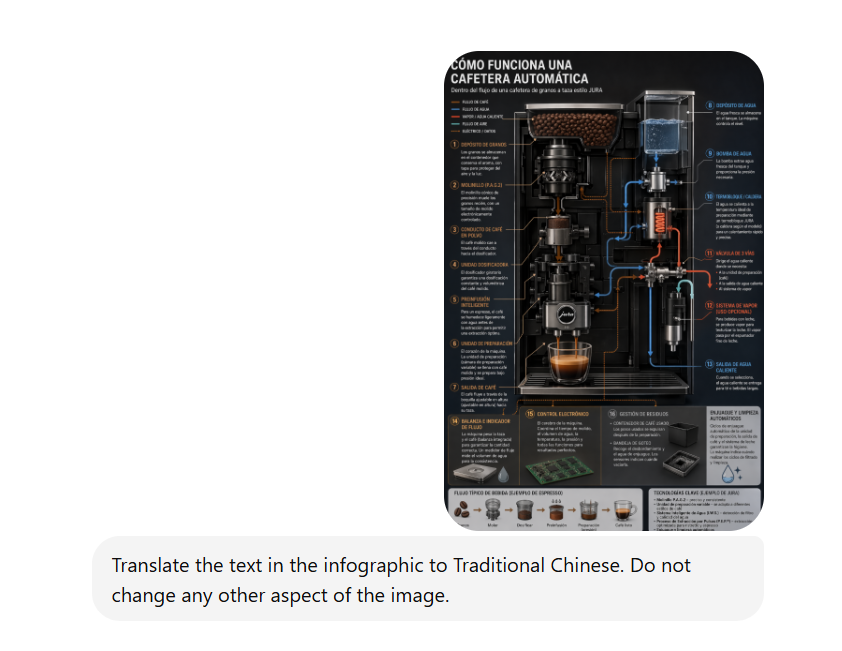
Image Translation: Scale Multi-Language Content Instantly
If you operate across multiple markets, localization is a bottleneck.
Traditional workflow:
Design → Translate → Redesign
With GPT Images 2:
👉 You skip the redesign entirely.
Core Prompt
Translate all visible text in the image into Traditional Chinese. Preserve the original layout, typography, colors, and design. Do not modify any visual elements except the text.
Optimized Version (For Marketing)
Ensure the translation is natural, marketing-friendly, and culturally appropriate for Cantonese-speaking audiences.
What Makes It Work
- Layout stays intact
- Typography is preserved
- Visual hierarchy remains
If the design breaks, conversions drop—simple as that.
Logo Variations: Rapid Brand Direction Testing
Early-stage branding isn’t about perfection—it’s about direction.
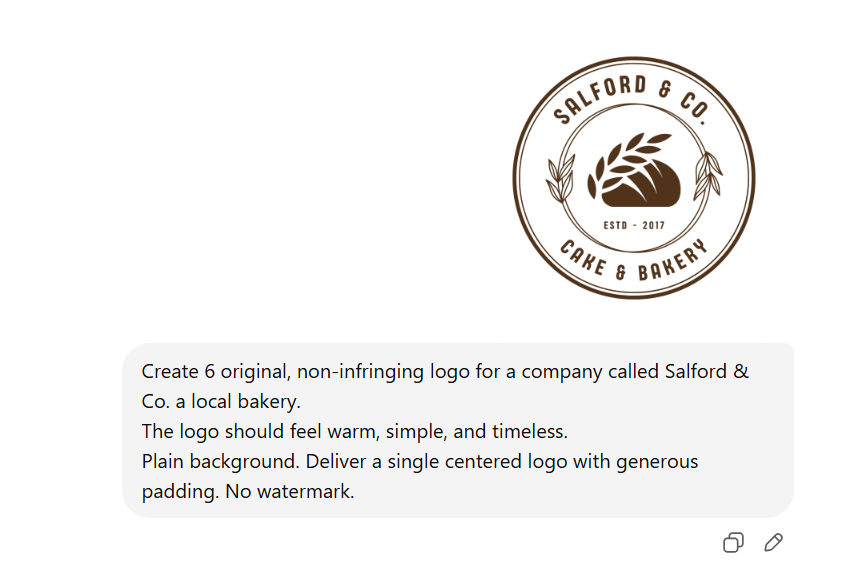
GPT Images 2 lets you generate multiple logo concepts instantly, helping you explore faster.
HCore Prompt
Create 6 original, non-infringing logo concepts for a company called [company name]. Each logo should reflect a modern, clean, tech-driven brand tone. Use minimalist and geometric styles, scalable vector design, centered composition, generous padding, no watermark, white or transparent background.
Style Expansion Prompt
Style variations: minimalist, futuristic, geometric, typography-based, icon + wordmark. Use subtle gradients, balanced spacing, strong brand identity, suitable for digital platforms and social media.
The Real Goal
Don’t just pick what looks good—test:
- Which style resonates with your audience
- Which is most memorable
- Which scales across platforms
AI reduces decision time from weeks to hours.
From Tool to System: Build Your AI Visual Workflow
Using these features individually improves efficiency.
But connecting them creates scale.
End-to-End Workflow
Step 1: Generate thumbnail variations (6–10 versions)
Step 2: Select top-performing concepts
Step 3: Refine face and brand consistency
Step 4: Translate into multiple languages
Step 5: Create 360 product visuals
Step 6: Deploy across ads, social media, and landing pages
Global Quality Enhancer Prompt
ultra detailed, 8k, professional lighting, depth of field, commercial photography, premium branding, clean background
The Real Power of AI Images Is Repeatability
GPT Images 2 isn’t powerful because it creates “beautiful images.”
It’s powerful because it enables:
- Scalable production
- Rapid testing
- Continuous optimization
Once you start using it for:
- Variations (testing)
- Refinement (optimization)
- Translation (scaling)
You’re no longer just creating images.
👉 You’re building a visual content engine.
And in the long run, the winners won’t be those with the best ideas—
But those who can turn ideas into systems, faster than everyone else.
















