
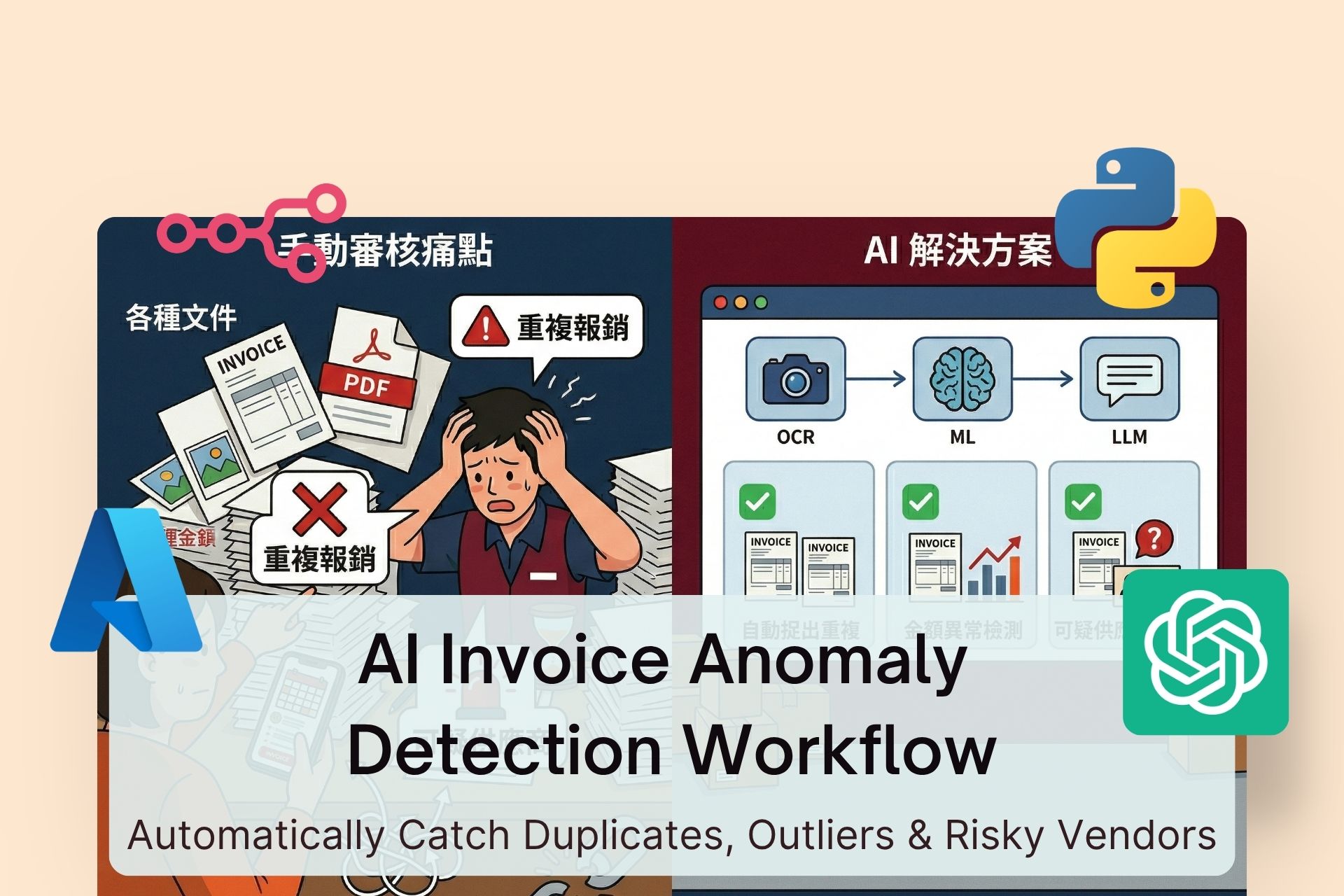
For many businesses, invoice review is still a slow, manual, and error-prone process. Finance teams spend hours going through PDFs, scanned receipts, and images—checking dates, amounts, vendors, and payment details—just to make sure nothing looks off. As transaction volume grows, this doesn’t just hurt efficiency; it increases the risk of duplicate payments, fraud, and audit issues.
A common misconception is: “Can’t we just use ChatGPT to review all invoices?”
The reality is—invoice anomaly detection isn’t something a single AI tool can handle effectively.
A robust system requires combining multiple layers:
- OCR for data extraction
- Data normalization for consistency
- Machine learning for anomaly detection
- LLMs for human-readable reporting
When designed properly, this turns your finance process from reactive checking into proactive risk detection.
Why Traditional Invoice Review Breaks at Scale
The problem isn’t just volume—it’s inconsistency.
Common issues include:
- Multiple file formats (PDF, images, scans)
- Inconsistent vendor naming
- Different date and currency formats
- Slight variations in duplicate invoices
- Difficulty spotting unusual patterns manually
The biggest challenge:
Most risky invoices aren’t “wrong”—they’re just “unusual.”
A Practical AI Invoice Anomaly Detection Architecture
Instead of relying on one tool, a scalable system is built in four layers:
- Invoice ingestion (OCR + structured data extraction)
- Data cleaning and normalization
- Anomaly detection (ML + rules)
- Automated audit reporting
This modular approach ensures accuracy, flexibility, and long-term scalability.
Step 1: Invoice Extraction (OCR → Structured Data)
The first step is converting invoices into structured, usable data.
Key fields to extract:
- Invoice date
- Invoice number
- Vendor name
- Currency
- Total amount
- Tax
- Line items (if needed)
Recommended tools:
- Rossum (high-accuracy invoice OCR)
- Azure AI Document Intelligence (customizable + API-friendly)
The goal is not just reading text—but understanding context:
- Total vs tax
- Invoice date vs due date
- Vendor vs billing entity
If this step is inaccurate, everything downstream breaks.
Step 2: Data Cleaning & Normalization
Raw OCR output is rarely clean enough for analysis.
You’ll need to standardize:
- Vendor names (e.g., “ABC Ltd” vs “ABC Limited”)
- Date formats
- Currency conversions
- Amount formats
- Invoice number inconsistencies
This is where LLMs are extremely useful—not for decision-making, but for:
- Semantic normalization
- Field interpretation
- Structuring messy data
Combine this with workflow tools (like n8n) to automate:
- Field mapping
- Data formatting
- Pipeline consistency
Key insight:
Anomaly detection accuracy depends more on clean data than on model complexity.
Step 3: Anomaly Detection (Core Intelligence Layer)
This is where real value happens.
You want to detect three main categories:
1. Duplicate Invoices
Use a mix of:
- Exact matching (invoice number, vendor, amount)
- Fuzzy matching (similar names, slightly different formats)
- Time proximity checks
Examples:
- Same vendor + same amount + similar date
- Invoice numbers with minor formatting differences
2. Amount Anomalies
Use machine learning models such as:
- Z-score analysis
- Isolation Forest
- Historical baseline comparison
Evaluate anomalies based on:
- Vendor history
- Category averages
- Department spending patterns
- Seasonal trends
Tools:
- Azure Anomaly Detector
- Python (scikit-learn, PyOD)
3. Suspicious Vendors
Signals include:
- New vendors with large first transactions
- Unusual transaction frequency
- Similarity to flagged vendor names
- Fragmented invoices (splitting amounts)
Why Not Use Only LLMs?
Because:
- LLMs are not consistent scoring systems
- They lack statistical rigor for anomaly detection
- Audit workflows require traceable logic
Best practice:
- Rules → deterministic checks
- ML → pattern detection
- LLM → explanation and reporting
Step 4: Automated Audit Reporting
Detection alone isn’t enough—you need actionable output.
Each flagged invoice should include:
- Basic invoice data
- Type of anomaly
- Risk level (high / medium / low)
- Reason for flagging
- Suggested action
- Link to original file
LLMs are ideal here. They translate technical outputs into clear audit summaries.
Example output:
- This invoice closely matches a previously submitted invoice within 14 days
- Amount exceeds vendor historical average by 280%
- Vendor has no prior transaction history
This makes it easier for finance teams to act quickly.
Automating the Entire Workflow
Once all components are in place, you can connect everything using tools like n8n or Make.
End-to-end automation includes:
- Auto-ingesting invoices (email / drive)
- Running OCR extraction
- Cleaning and standardizing data
- Detecting anomalies
- Generating reports
- Sending alerts (Slack / email)
- Logging into databases (Notion / Airtable)
Typical flow:
- New invoice received
- Data extracted automatically
- Normalized and structured
- Checked for anomalies
- Flagged if needed
- Report generated
- Finance team notified
The result:
Finance teams stop reviewing everything—and start reviewing only what matters.
Implementation Roadmap
If you’re starting from scratch, build in phases:
Phase 1: OCR + Data Extraction
Ensure reliable structured data output
Phase 2: Data Normalization
Standardize all key fields
Phase 3: Anomaly Logic
Start with rules, then layer ML
Phase 4: Reporting & Alerts
Make outputs actionable and automated
Conclusion
AI-powered invoice anomaly detection is not just about automation—it’s about upgrading how finance teams operate.
Instead of manually reviewing every invoice, you shift to:
- Automated detection
- Risk prioritization
- Faster decision-making
When you combine OCR, data normalization, ML detection, and LLM reporting into a single workflow, you create a system that is:
- Scalable
- Reliable
- Auditable
- Continuously improving
In simple terms:
Use OCR for extraction, ML for detection, LLM for reporting—and automation to connect everything.
















