Right now, when you open YouTube / Instagram / TikTok, you see “AI-generated videos” everywhere. But anyone who actually creates content, runs ads, works in an agency, or delivers eCommerce assets knows the truth—
The hardest part of AI video isn’t generating the first clip.
The hardest part is getting output that’s repeatable, controllable, deliverable—and scalable.
So this time I’m not going to talk about “feelings.” I’m using the same scoring framework plus the same prompt/reference to run a scoreboard-style test—so you can save at least a week of “trying tools until you crash.”
What framework did I use to score?
I broke “Is it actually usable?” into four buckets:
Final Video Quality (35%): natural motion, stability, consistency, overall “film feel”
Controllability (35%): can it lock products / typography / styling / reference identity?
Automation (15%): official API or not, can it run via HTTP/polling, can it plug into n8n?
Cost-Performance (15%): with the same budget, how many “usable clips” can you produce reliably?
Today’s 7 contestants
Sora 2
Kling (2.6 + O1 Video)
Veo 3.1
Wan 2.6
Seedance (1.5 Pro / Pro)
Grok Imagine
PixVerse v5.5
Part 1 | Positioning + the USPs you should remember
1) Sora 2: Cinematic, high-fidelity output (but stricter face policy)
Three features you should remember:
Style: You don’t need an extremely long prompt—just pick a preset to set the tone (easier to keep style consistent).
Storyboards: Arrange shots like storyboards instead of gambling everything in one generation.
Characters: Build reusable characters with permissions (grant/revoke access and track usage).
Key limitations you must know:
Supports uploading only 1 reference image
Stricter on real human faces (likeness / real-person photos): don’t expect to use selfies as reference to output brand ads directly
Currently not directly available in Hong Kong (VPN needed)
No Start/End frames feature
Free tier outputs have a watermark
Specs summary:
Orientation: 16:9, 9:16 (landscape/portrait both supported)
Common lengths: 10s / 15s (on some platforms like Higgsfield: 4s / 8s / 12s)
Free: watermark
Pricing
Free (invite-only): US/Canada iOS app, availability depends on compute; watermarked
ChatGPT Plus (US$20/mo): ~1,000 credits (short clips, 720p, ~5 seconds)
ChatGPT Pro (US$200/mo): Sora 2 Pro, longer (up to 25s), 1080p, synced audio, no watermark, more credits
API (per second):
Sora-2 720p: $0.10/sec
Sora-2 Pro 720p: $0.30/sec
Sora-2 Pro 1080p: $0.50/sec
2) Kling: The control-first option (especially for ads that must “lock” people and objects)
The Kling family is all about controllability and delivery consistency. In practice, you’ll most often see two tracks:
Kling 2.6: Generates video + audio together (supports audio, even lipsync)
Text-to-Video / Image-to-Video
Common durations: 5s / 10s, outputs 1–4 variations
Free tier has watermark
Kling O1 Video: Generation + editing in one (the multi-reference locking champion)
Use natural language to edit / extend / restyle
Upload up to 7 reference images
Finer duration control (3–10s), aspect ratios 9:16 / 1:1 / 16:9
Extremely aligned with “delivery-grade consistency” for ad work
Pricing (credit subscription model)
Free: small daily credits, 720p, watermark
Standard: ~$6.99/mo (1080p)
Pro: $25.99/mo (up to 4K, more credits)
Premier / Ultra: higher volume tiers
Kling pricing is flexible by plan/platform—always confirm using what your own account shows before paying.

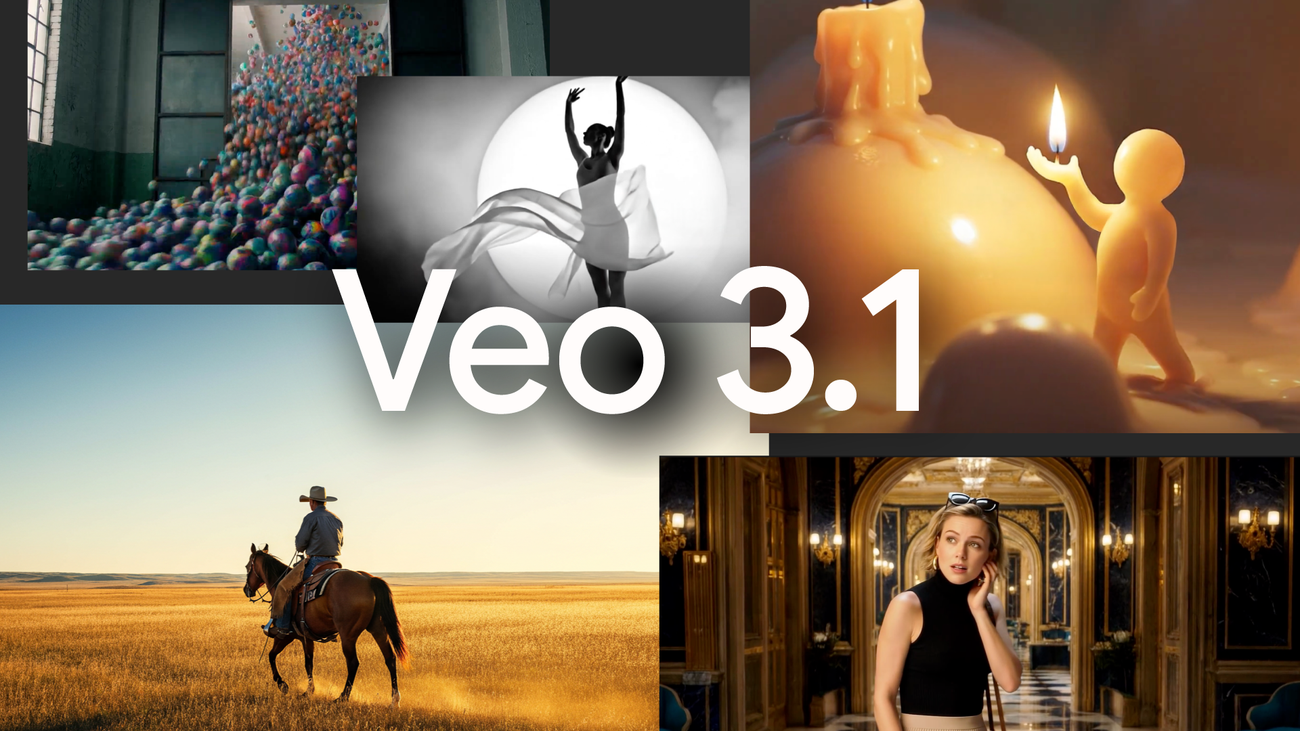
3) Veo 3.1: Google ecosystem + native audio + strong storyboard pacing controls
USP: native audio + timestamp prompting (write the prompt in segments per timecode)
Common platform modes:
Start & End Frame (more stable transitions)
Multi-Image Reference (up to 3 reference images)
Text-to-video
Note: Gemini’s free trial usually has a daily quota (and it changes). Don’t plan production as if it’s “unlimited.”
Pricing
API (per second, with audio):
Standard with audio: $0.40/sec
Fast with audio: $0.15/sec
Common output: 8 seconds (720p/1080p) with native audio
4) Wan 2.6: Delivery-oriented storytelling (multi-shot skeleton)
Focuses on multi-shot: generates a short narrative structure you can edit into a final cut
Supports Start/End frames
Broad aspect ratio support (16:9, 9:16, 1:1, 4:3, 3:4)
Durations: 5 / 10 / 15s
Supports uploading only 1 reference image
Free tier has watermark
Credits can accelerate generation (less queue time during peak hours)
Pricing
Free / Pro / Premium (credit subscription)
Common “per-second” pricing: ~$0.10/sec (720p), ~$0.15/sec (1080p)
(Reminder: confirm via your platform’s pricing tab.)

5) Seedance: Predictable costs + strong instruction following (great for mass draft layers)
USP: easy-to-estimate cost, many aspect ratios, camera strategy controls
(e.g., Fixed lens: locks the camera so it doesn’t drift with dynamic movement)
1.5 Pro supports start/end frames (common: 4s / 8s / 12s)
For “single reference Image-to-Video product locking,” I specifically used Seedance Pro (because 1.5 Pro is more focused on start/end frames workflows)
Free tier has watermark
Pricing
BytePlus official example: 5s 720p ~ $0.988, plus 2M tokens free trial
Other platforms (Kie / Replicate / fal, etc.) can be cheaper (depends on platform)
6) Grok Imagine: Fast and experience-first (but the highest API risk)
How it really works: often Text-to-Image first, then animate that image into a short clip + sound effects.
No watermark, very fast
Supports uploading only 1 reference image
Automation risk
No stable official “Grok Imagine Video API” endpoint publicly available from xAI
Most “APIs” in the market are third-party wrappers → you must verify stability, terms, and privacy yourself
Pricing
Grok.com: currently free for individuals (limits can change)
X Premium / SuperGrok: higher quotas and priority
Third-party APIs: may be $0.05–$0.10 per clip (typically ~6 seconds), but it’s third-party dependency
7) PixVerse v5.5: Clear docs, easy credit math, strong commercial feature set
Supports: Text-to-Video / Image-to-Video, multi-shot, reproducible seed, preview mode, off-peak mode
v5.5 commonly: 1–10s, 360/540p (free) up to 720/1080p (paid)
Supports uploading only 1 reference image
Free tier has watermark
Pricing
$1 = 100 credits (officially provides consumption tables for different modes)
API plans from Free / Starter / Essential up to enterprise (clear on concurrency, effects, resolution)
Part 2 | Real tests: Final video quality (Text-to-Video) — 3 rounds
Same prompt + same reference set, comparing: naturalness / stability / consistency / overall feel.
Test 1: Walking + micro-expressions (baseline human credibility)
Scores (out of 100)
Sora 2: 90 (A)
Veo 3.1: 88 (A)
Kling 2.6: 80 (B)
Grok Imagine: 72 (B)
Seedance 1.5 Pro: 70 (B)
Wan 2.6: 62 (C)
PixVerse 5.5: 55 (C)
One-line takeaway
Sora/Veo look closest to real handheld smartphone footage (eyes, hand contact, skin detail feel natural)
Kling looks real, but has a “beauty filter / overly smooth” AI vibe
Seedance has realistic texture, but the walk + camera movement feels like classic AI
PixVerse shows the strongest “AI” feel

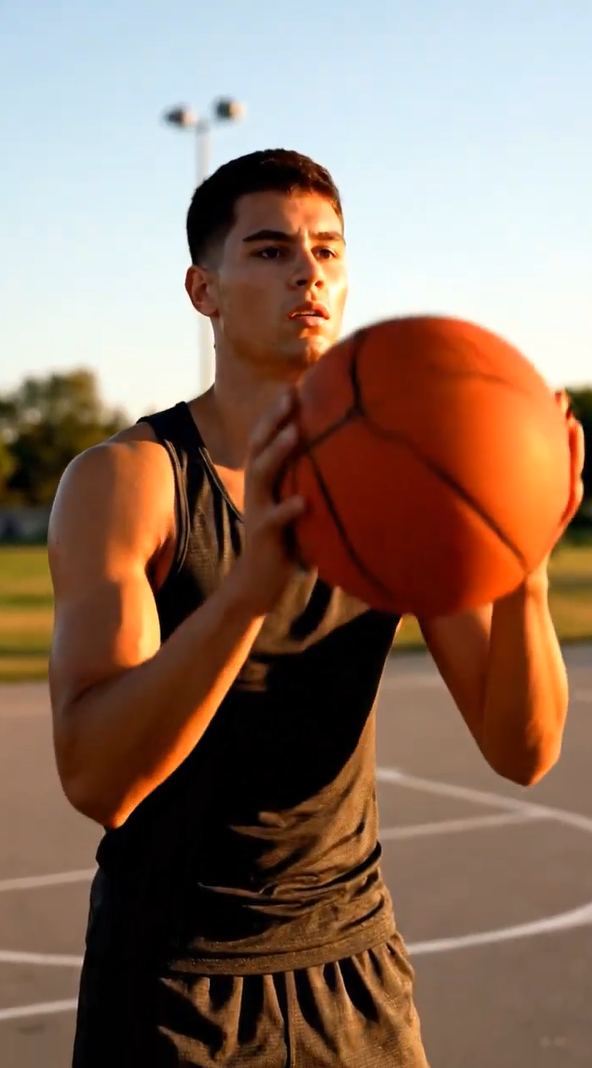
Test 2: Hand close-up interaction (occlusion + weight + contact realism)
Scores
Sora 2: 92 (A)
Kling 2.6: 84 (B)
Veo 3.1: 84 (B)
PixVerse 5.5: 82 (B)
Grok Imagine: 75 (B)
Wan 2.6: 60 (C)
Seedance 1.5 Pro: 50 (D)
One-line takeaway
Sora is the most stable: correct occlusion, continuous contact, believable weight
Kling/Veo: contact is correct, but the ball feels “too light”
Wan: the ball behaves like a balloon
Seedance: distance, physics, and contact don’t hold up
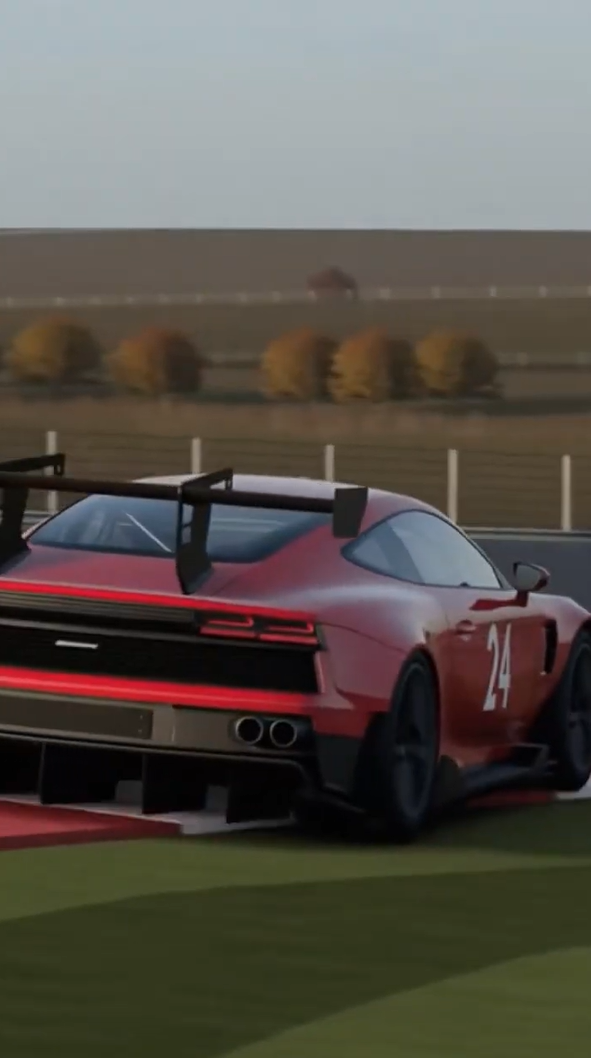
Test 3: Race car cornering (stability + physics logic)
Scores
Veo 3.1: 82 (B)
Grok Imagine: 82 (B)
Sora 2: 74 (B)
Kling 2.6: 66 (C)
Wan 2.6: 52 (D)
Seedance 1.5 Pro: 52 (D)
PixVerse 5.5: 50 (D)
One-line takeaway
Veo/Grok: visible body roll, but tires feel slightly “hydroplaning,” braking weight is weak
Sora: too smooth → ironically reduces the sense of weight
Wan/PixVerse: scene/geometry breaks—failure-level instability
Overall final-video quality ranking (across all 3 tests)
Tier 1: Sora 2, Veo 3.1
Tier 2: Kling 2.6 (but tends to look overly smooth / “AI glossy”)
Tier 3: Grok, Seedance (usable but can look AI)
Tier 4: Wan, PixVerse (only works with very selective scenes/shots)
Part 3 | Controllability (Image-to-Video) — the biggest pain point for brand delivery
Image-to-Video Test 1: Single reference product can (lock packaging + typography + color)
Scores
Sora 2: 95 (A)
Seedance Pro: 88 (B)
PixVerse 5.5: 88 (B)
Grok Imagine: 80 (B)
Veo 3.1: 72 (B)
Kling 2.6: 60 (C)
Wan 2.6: 40 (D)
Conclusion
If you need “the text never changes,” Sora 2 is the most stable—already at directly usable commercial product-video level.
Seedance Pro / PixVerse: strong logo/text locking, but you should design shots to avoid the most distortion-prone motion segments
Kling 2.6: text/logo changes after a spin—fatal for brands
Wan: shape/color/type all shift—identity isn’t locked at all
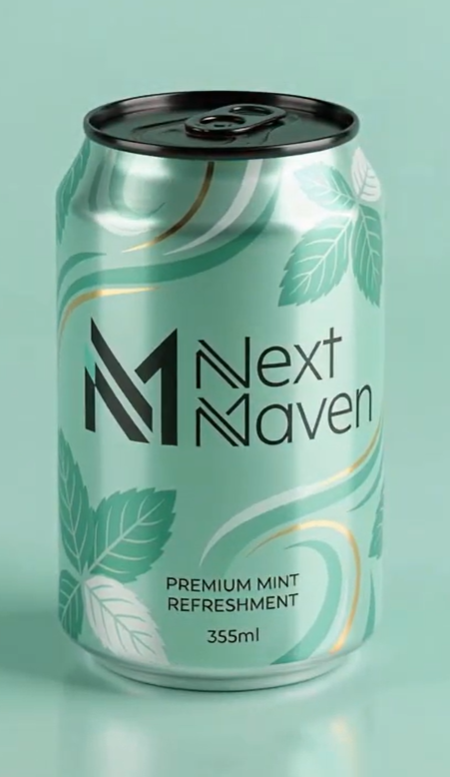
Image-to-Video Test 2: Multiple references (lock person + dress + heels + product + scene)
For this round I used Kling O1 Video (since 2.6 doesn’t support the 1–7 image multi-reference locking workflow).
Scores
Kling O1 Video: 90 (A)
Veo 3.1: 75 (B)
Others (Sora / Wan / Seedance / Grok / PixVerse): Not supported for multi-reference locking (N/A)
One-line takeaway
If you need to lock a person + outfit + shoes + product in one ad shot, Kling O1 is currently the most direct option.
Veo can keep things consistent, but the motion/expression still carries a slight AI feel—needs editing and shot strategy.

Part 4 | Automation: n8n integration difficulty (1 video vs 100 videos)
My standard is simple: not just “Do you have an API?” but “Can you plug it into n8n smoothly?”
Sora: n8n has OpenAI node video operations (supports sora-2 / sora-2-pro)
Veo: n8n site has a Veo 3.1 eCommerce catalog video workflow example
Kling / Wan / Seedance / PixVerse: usually requires HTTP Request node to call APIs (doable, but you must build it yourself)
Kling O1 + PixVerse: docs are relatively clear → practical to implement
Grok Imagine: mostly third-party wrappers → highest dependency risk
Part 5 | Pricing & cost-performance (per-video cost is the real world)
Using “official or verifiable” numbers for rough budgeting:
Estimated cost per 8–10 seconds
Sora 2 API
720p $0.10/sec → ~$1 for 10s
Pro 720p $0.30/sec → ~$3 for 10s
Pro 1080p $0.50/sec → ~$5 for 10s
Veo 3.1 API (with audio)
Fast with audio $0.15/sec → ~$1.2 for 8s
Standard with audio $0.40/sec → ~$3.2 for 8s
Seedance (BytePlus example)
5s 720p ~ $0.988 → ~$1.976 for 10s (actual varies by tokens)
PixVerse
Clearest credit conversion: $1 = 100 credits, official consumption tables (easiest for financial modeling)
Wan / Kling / Grok
More dependent on platform and plan (confirm via platform pricing; Grok adds third-party API risk)
Cost-performance grades
A: Veo 3.1 Fast ($0.15/sec with audio + Tier-A quality)
A-: Seedance 1.5 Pro (predictable cost + free trial, great for mass draft layer)
B: Sora 2 ($0.10/sec is great, but Pro high-res jumps quickly)
B: PixVerse (easy credit math + commercial features, but quality skews C; best for template volume content)
C: Wan 2.6 (delivery-oriented, but quality/control aren’t top-tier; pricing varies by platform)
C: Kling (multi-reference is valuable, but credit burn and plan pricing require volume-based calculation)
D: Grok Imagine (fast, but third-party API dependency + terms risk makes it hard to rely on as a pipeline backbone)
Part 6 | Two “copy-paste” rankings
1) Best overall by capability (quality + controllability + automation)
Sora 2: cinematic + best single-product lock + direct n8n path → all-rounder
Veo 3.1: native audio + good pacing control + Fast mode value → commercial efficiency
Kling O1: strongest multi-reference locking → ad-delivery control king
PixVerse: clear docs + easy credit math + strong feature set → template batch production
Seedance: high-value draft/preview layer → front-end mass production
Wan: platform experience varies → depends where you run it
Grok Imagine: fast experience, but API risk → not recommended as the sole pipeline pillar
2) Best value ranking (usable clips + scalability)
Veo 3.1 Fast > Seedance > Sora 2 > PixVerse > Wan ≈ Kling > Grok
Final: pick in 3 lines (based on your goal)
Want high fidelity with minimal landmines → Sora 2
Want native audio + lower cost + scale production → Veo 3.1
Want ad-grade multi-reference locking → Kling O1 Video
Want mass draft output first, then upgrade hero shots → Seedance / PixVerse
Want the exact prompts, scoreboard template, red-flag checklist, and pipeline playbook I used for testing? Grab the AI Video Tool Testing Kit here.